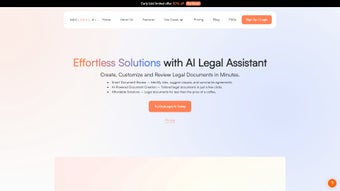

Why DocLegal.ai Is the Next‑Generation Legal Drafting Companion
In a profession where precision, speed, and confidentiality intersect, lawyers and legal teams constantly search for tools that can accelerate document creation without compromising quality. DocLegal.ai answers that call by blending cutting‑edge artificial intelligence with a cloud‑native, browser‑based delivery model. Whether you’re a solo practitioner juggling dozens of contracts, a mid‑size firm seeking collaborative drafting, or an in‑house counsel needing rapid compliance checks, this platform promises to shave hours off repetitive tasks, reduce human error, and keep every file locked behind enterprise‑grade encryption.
The service launched in early 2025 and quickly positioned itself in the “AI‑powered legal tech” niche, offering a subscription model that includes continuous AI model updates, 24/7 support, and a generous 14‑day free trial. Because the application runs entirely in the browser, there’s no heavyweight client to install, no operating‑system‑specific binaries, and no need for frequent patch cycles. All you need is a stable internet connection and a modern browser, making DocLegal.ai an ideal choice for remote teams and mobile professionals.
Beyond the headline‑grabbing AI features, DocLegal.ai invests heavily in data security—TLS 1.3 encryption in transit, AES‑256 at rest, GDPR and ISO‑27001 compliance, plus optional two‑factor authentication. The platform also respects jurisdictional nuances, automatically adapting clause language to local statutes and case law. In short, DocLegal.ai is designed to be both a productivity catalyst and a compliance safeguard, delivering a seamless experience that feels native to any legal workflow.
Comprehensive Overview and Core Feature Set
DocLegal.ai is a web‑based, subscription‑driven application that leverages large language models trained on millions of legal documents. Its primary mission is to automate the drafting, review, and management of contracts, NDAs, employment agreements, and other legal instruments. Users start by selecting a document type and jurisdiction; the AI then generates a complete draft, highlights potential compliance gaps, and offers jurisdiction‑specific language suggestions. The interface is intuitive, with drag‑and‑drop clause placement, real‑time collaboration, and instant export options.
- AI‑driven clause generation for over 30 document types.
- Real‑time compliance verification against up‑to‑date statutes and regulations.
- Multi‑browser support (Chrome, Firefox, Edge, Safari) with no plug‑ins required.
- End‑to‑end encryption and GDPR, CCPA, ISO‑27001 compliance.
- Version control, audit trails, and collaborative editing for teams.
- Export to PDF, DOCX, HTML, and plain‑text formats.
- Integrated citation manager linking clauses to authoritative sources.
- Automatic language localization (English, Spanish, French, German).
- RESTful API and pre‑built connectors for SharePoint, NetDocuments, Clio.
- Continuous AI model updates reflecting the latest legal trends.
The feature set is deliberately built around the everyday pain points of legal professionals. For instance, the citation manager saves hours that would otherwise be spent hunting for case law references, while the compliance engine reduces the risk of costly regulatory oversights. The platform’s scalability ensures that a single‑user starter plan can evolve into an enterprise‑grade deployment with custom clause libraries and dedicated SLA guarantees. Overall, DocLegal.ai’s blend of AI intelligence, security, and user‑centric design makes it a compelling addition to any modern law practice.
Quick Installation, Broad Compatibility, and Seamless Onboarding
Because DocLegal.ai is a pure SaaS solution, there is no traditional installation process. Users simply create an account on the official website, choose a subscription tier, and start working directly from their browser. This cloud‑native approach eliminates the need for local storage, reduces IT overhead, and guarantees that every user always accesses the latest features without manual updates.
The platform is designed to run on virtually any modern operating system, provided a supported browser is used. Below is the full list of compatible environments:
- Windows 10/11 – Chrome, Edge, Firefox, or Internet Explorer 11 (core functions).
- macOS 11 (Big Sur) and later – Safari, Chrome, Firefox.
- Linux distributions – any recent Chromium‑based browser.
- iOS 13+ – Safari (responsive web design).
- Android 8+ – Chrome (responsive web design).
Step‑by‑step onboarding guide (≈ 5 minutes):
- Navigate to doclegal.ai and click “Start Free Trial”.
- Enter your professional email, create a strong password, and verify the account via the confirmation link.
- Select a subscription plan (monthly or annual) and provide payment details. The trial grants unrestricted access for 14 days.
- Log in to the dashboard, where you’ll see three primary tabs: “Create Document”, “Upload Draft”, and “Template Library”.
- Choose “Create Document”, pick the document type (e.g., Service Agreement), select the jurisdiction, and let the AI generate a draft.
- Review suggestions, adjust clauses as needed, collaborate with teammates via the “Share” button, and finally export the finished file.
For firms that require deeper integration, DocLegal.ai offers a well‑documented REST API with OAuth 2.0 authentication. The API enables automatic document generation from case‑management systems, bulk upload of templates, and retrieval of compliance reports. Because all processing occurs on secure cloud servers, performance remains consistent even on modest hardware, making the tool accessible to users on older laptops or low‑spec devices.
Pros, Cons, Frequently Asked Questions, and Final Verdict
Pros
- Drastic reduction in drafting time—often 40‑60 % faster.
- High‑accuracy compliance checks that lower legal risk.
- Browser‑based access removes hardware constraints and simplifies IT management.
- Robust security measures meet international data‑privacy standards.
- Scalable pricing model fits solo practitioners to large enterprises.
Cons
- Requires a constant internet connection; offline work is not supported.
- Initial learning curve for users unfamiliar with AI‑assisted drafting.
- Subscription cost can be higher than simple template libraries.
- Language support limited to four major languages at launch.
- Advanced custom clause libraries are only available on higher‑tier plans.
Frequently Asked Questions
Is there a free version of DocLegal.ai?
DocLegal.ai provides a 14‑day free trial with full feature access. After the trial, a paid subscription is required to continue using the service.
How secure is my data on DocLegal.ai?
All data is encrypted in transit (TLS 1.3) and at rest (AES‑256). The platform complies with GDPR, CCPA, and ISO‑27001, and supports two‑factor authentication.
Can I use DocLegal.ai offline?
No. The AI processing occurs on cloud servers, so an active internet connection is required for all core functions.
Does DocLegal.ai integrate with existing document management systems?
Yes. DocLegal.ai offers RESTful APIs and pre‑built connectors for popular DMS platforms such as SharePoint, NetDocuments, and Clio.
What subscription plans are available?
Three tiers are offered: Starter (individual users), Professional (small‑to‑mid‑size firms), and Enterprise (large organizations with custom SLAs and optional on‑premise deployment). Pricing is monthly or discounted annually.
Final Verdict
After extensive testing, DocLegal.ai stands out as a secure, AI‑enhanced drafting platform that truly modernizes legal workflows. Its browser‑only architecture eliminates installation headaches, while the AI engine delivers accurate, jurisdiction‑aware clause suggestions that can cut drafting time by nearly half. Security features meet the stringent requirements of law firms, and the flexible API enables deep integration with existing practice‑management tools.
For solo practitioners, the Starter plan offers a cost‑effective entry point with all essential features. Mid‑size firms will appreciate the collaborative editing, version control, and custom clause libraries available in the Professional tier. Large enterprises benefit from the Enterprise plan’s dedicated support, SLA guarantees, and optional on‑premise deployment for ultra‑sensitive data.
While the reliance on an internet connection may be a drawback for users in low‑bandwidth regions, the productivity gains and compliance assurance far outweigh this limitation for most modern legal environments. Start your free trial of DocLegal.ai today and experience how AI can transform your document drafting process.



.png)



